 ALPHA RELEASE
Nectar — STING for Desktop
Private AI on your desktop. Download, install, start chatting with your documents. Everything runs locally on your machine.
Nectar is the desktop edition of STING — all the AI and knowledge management power, running locally on a single machine. Need a team server? See STING CE. Need enterprise features? See STING Hive.
Download Nectar Alpha
Nectar is in active development. Expect bugs. Report issues on GitHub.
What is Nectar?
Nectar is the desktop app for STING. It gives you a native application for managing your knowledge and chatting with your documents—all running locally on your machine.
- Runs with Ollama — no cloud, no subscriptions
- Encrypted, searchable Honey Jar knowledge bases
- Bee AI chat with citations from your documents
- Works 100% offline after install
- Passkey auth with Touch ID, Face ID, Windows Hello
Everything You Need
All the power of STING, right on your desktop.
Local AI
Runs with Ollama. Your documents and conversations never leave your machine. No cloud, no subscriptions, no data sharing.
Honey Jars
Organize your knowledge into encrypted, searchable collections. PDFs, Word docs, Markdown—throw it all in and search with AI.
Bee AI
Chat with your documents. Ask questions, get answers with citations. Bee AI learns your content and speaks your language.
Works Offline
Once installed, Nectar works without internet. Perfect for sensitive work, travel, or just avoiding distractions.
Connect to STING CE Server
Connect to a STING CE Server to access shared team knowledge while keeping a native desktop experience. (Coming soon—Nectar currently works fully standalone.)
Passkey Auth
Secure login with Touch ID, Face ID, Windows Hello, or hardware keys. No passwords to remember or leak.
Screenshots
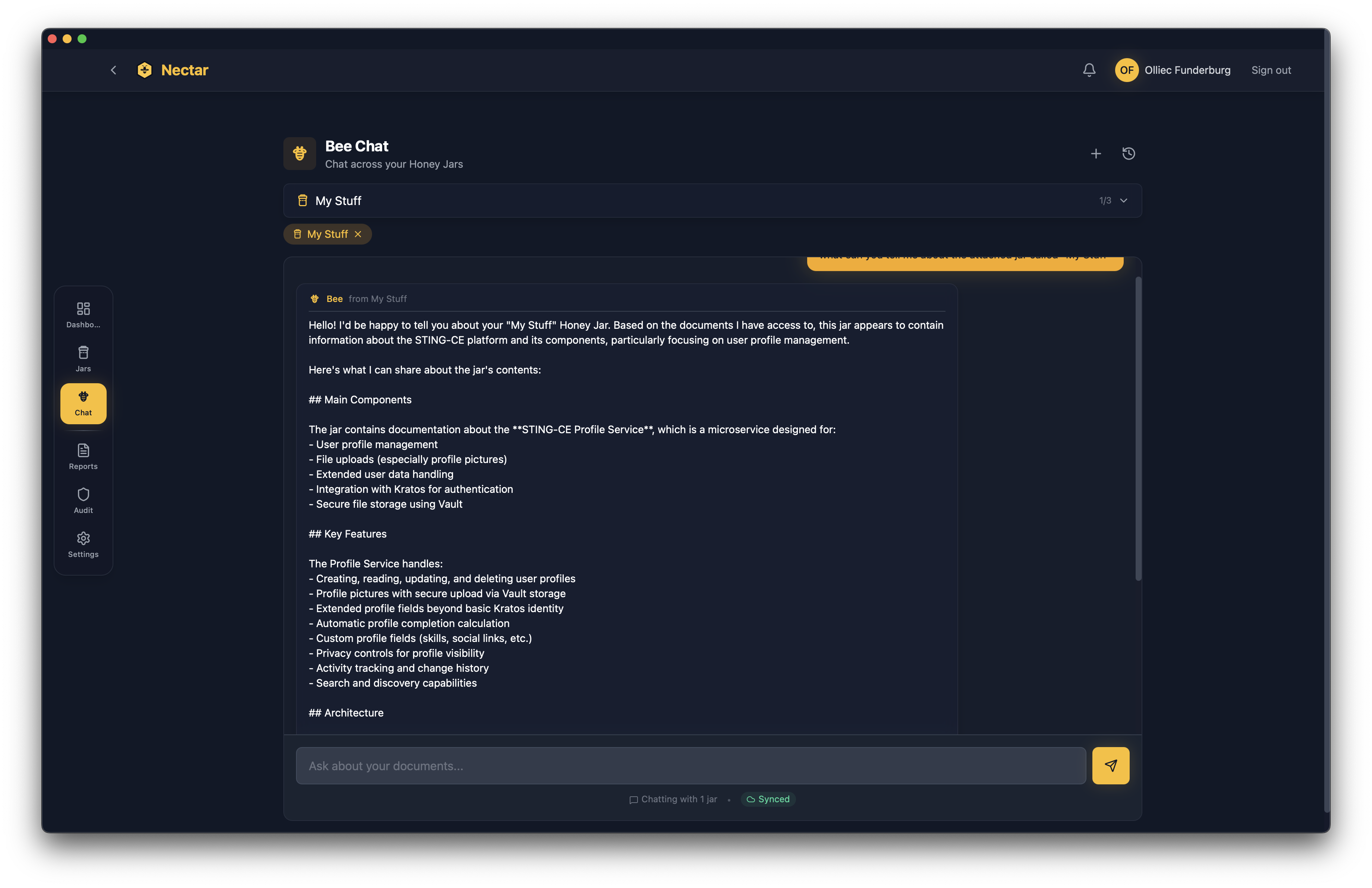
Bee Chat - Ask questions about your documents

Honey Jars - Your knowledge bases

Drag & drop document uploads
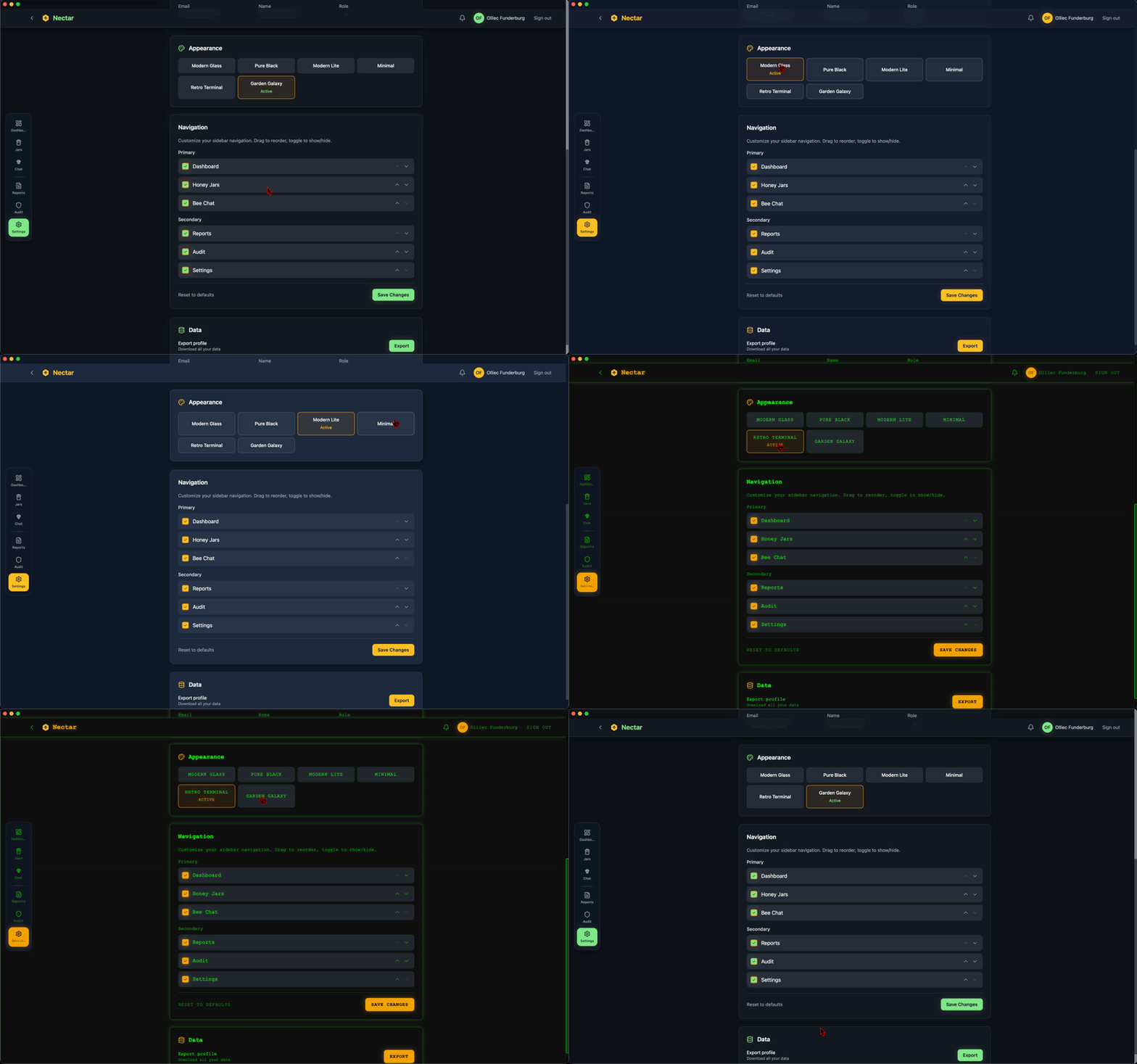
6 built-in themes - from Modern Glass to Retro Terminal
Requirements
System Requirements
| RAM | 8GB min / 16GB+ recommended |
| Storage | 10GB free min / 20GB+ SSD recommended |
| CPU | Dual-core min / Quad-core+ recommended |
| GPU | Not required / Helps with larger models |
Nectar runs Docker containers locally. First launch will download ~1.5GB of container images. AI models via Ollama add 2-8GB each depending on model size.
Prerequisites
Docker — Nectar runs STING services in Docker containers. Install Docker first:
- macOS: Docker Desktop for Mac
- Windows: Docker Desktop for Windows
- Linux: Docker Engine or Docker Desktop
Ollama — For local AI models:
macOS / Linux:
curl -fsSL https://ollama.com/install.sh | shWindows: Download from ollama.com
Ollama will download AI models as needed when you first use Nectar.
Installation
macOS Installation
- Download the
.dmgfile - Open the downloaded file
- Drag Nectar to your Applications folder
- First launch: Right-click → Open (to bypass Gatekeeper for unsigned apps)
- Grant permissions when prompted (accessibility, files)
Note: Nectar is currently unsigned. macOS will warn you on first launch. This is normal for alpha software.
Windows Installation
- Download the
.exeinstaller - Run the installer
- Windows SmartScreen may warn about an unrecognized app—click "More info" → "Run anyway"
- Follow the installation wizard
- Launch Nectar from the Start menu
Note: Nectar is currently unsigned. Windows will show a SmartScreen warning. This is normal for alpha software.
Linux Installation
Debian/Ubuntu (.deb):
sudo dpkg -i Nectar.deb
sudo apt-get install -f  # Install dependencies if needed
AppImage:
chmod +x Nectar.AppImage
./Nectar.AppImage
Note: You may need to install additional dependencies for WebKit on some distributions.
Quick Start
Six steps from download to chatting with your documents.
Install Docker
See prerequisites above for your platform.
Install Ollama
For local AI models.
Download Nectar
Download and install for your platform.
Launch Nectar
Docker containers start automatically on first run.
Create a Honey Jar
Add some documents to get started.
Start Chatting
Ask Bee AI about your documents.
First launch takes a few minutes while containers download. After that, startup is fast.
FAQ
Where is my data stored?
Everything stays on your machine:
- macOS:
~/Library/Application Support/Nectar - Windows:
%APPDATA%\Nectar - Linux:
~/.local/share/nectar
No cloud sync, no telemetry, no data leaving your device.
Can I connect to a STING CE Server?
Coming soon. We're actively working on STING CE Server sync, which will let you:
- Access shared team Honey Jars
- Use server-side AI models
- Keep your local work while accessing team knowledge
For now, Nectar works fully standalone. Check the roadmap for updates.
What AI models does it use?
Local models via Ollama:
- Qwen 2.5 - Good all-around model
- Phi-4 - Microsoft's efficient reasoning model
- Llama 3.3 - Meta's latest
- Any model Ollama supports
Cloud providers (optional):
- OpenAI - GPT-4o, GPT-4, etc.
- Anthropic - Claude 3.5 Sonnet, Claude 3 Opus
- Any OpenAI-compatible API endpoint
PII Protection: When using cloud providers, Nectar's PII layer automatically detects and scrambles sensitive data (SSNs, credit cards, phone numbers, etc.) before it leaves your machine. Responses are de-scrambled automatically. Your sensitive data never reaches the cloud.
Is it really free?
Yes. Nectar is free to use with no subscriptions, no usage limits, and no feature gates. You own your data completely.
The Nectar source code is maintained in a private repository, but the application itself is free to download and use.
How do I report bugs?
This is alpha software—bugs are expected!
Include your OS, Nectar version, and steps to reproduce.
Other STING Editions
Nectar is for personal use on a single machine. Need more?
STING CE Server
Free, open-source server deployment for teams. Multi-user access, shared Honey Jars, role-based permissions. Self-hosted with Docker Compose.
Deploy STING CE ServerSTING Hive
Enterprise edition. Everything in CE plus ChatOps integration, bot workers, enterprise monitoring, and priority support.
Learn About HiveStay Updated
Nectar is in active development. Star the repo to get notified of new releases.